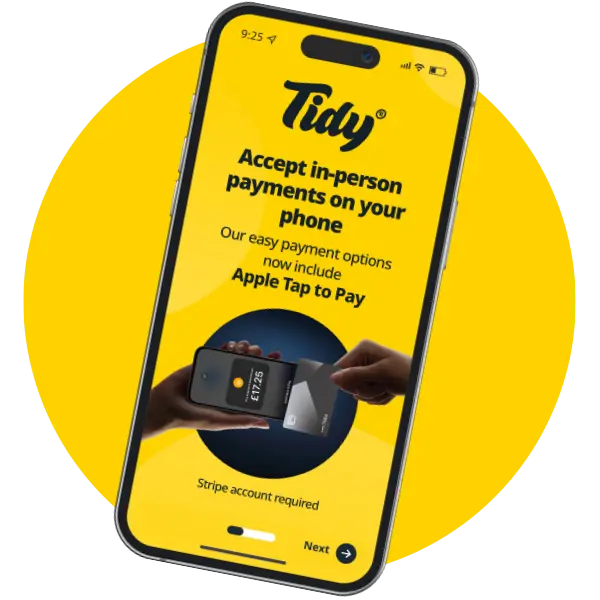
Get paid quickly with Tap to Pay, and track payments easily too.

Accepting fast, secure transactions is easy with Tidy’s Tap to Pay feature. With Apple Tap to Pay and Google Pay, you can streamline your business, enhance cash flow, and improve your customer experience – all from your smartphone.
Effortlessly accept in-person payments with Tap to Pay
Getting paid can be one of the biggest challenges for self employed people but with Tidy’s Tap to Pay feature, getting paid as soon as the job’s done, and tracking payments has never been simpler. Whether you’re a tradesperson, sole trader, or small business owner, Tidy’s mobile payment solutions offer fast, secure ways to take payments, and track your earnings – in our all in one, user friendly app.
With Tap to Pay, you can take in-person payments directly from your phone; no need to carry a bulky payment terminal or sign up to a contract. Tidy makes it easy to set up – in just a few clicks you’re set to take payments, keeping your cash flow steady and your business running smoothly.
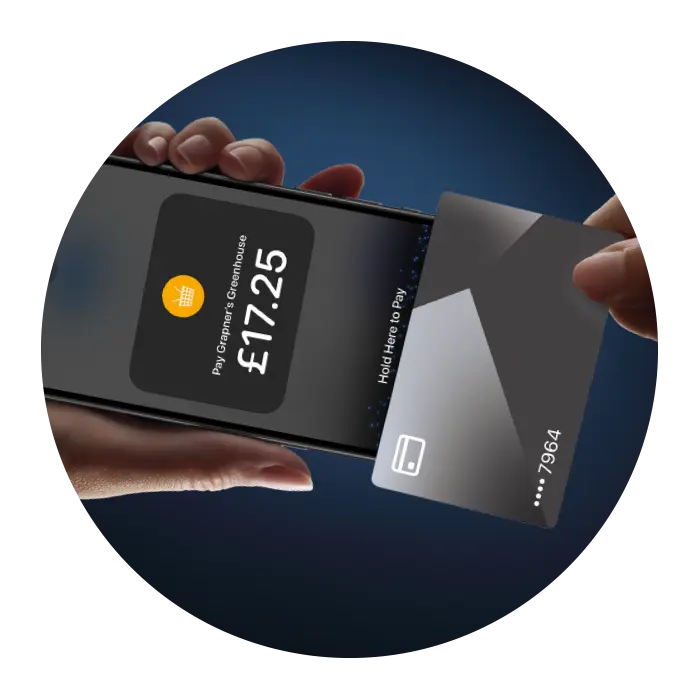
How Tidy makes tracking payments simple with Tap to Pay
1. Quick and easy payment tracking
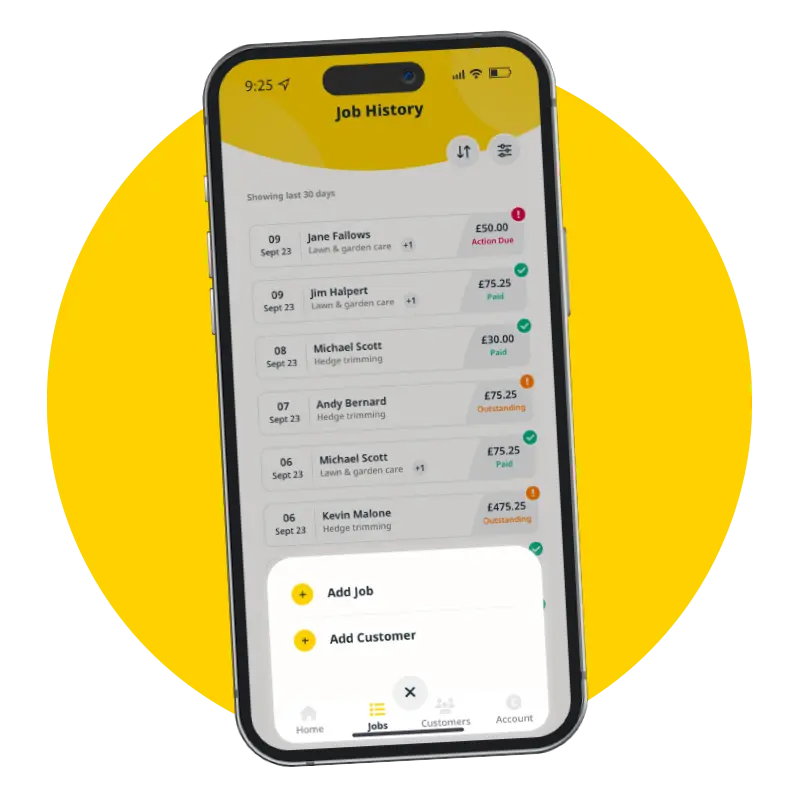
Tidy’s integration with Tap to Pay allows you to track payments in real time. With every transaction, your earnings are updated immediately, providing a live overview of what you’ve earned, what’s paid, and what’s still outstanding, prompting you to chase any overdue payments.
2. Instant transactions for faster cashflow
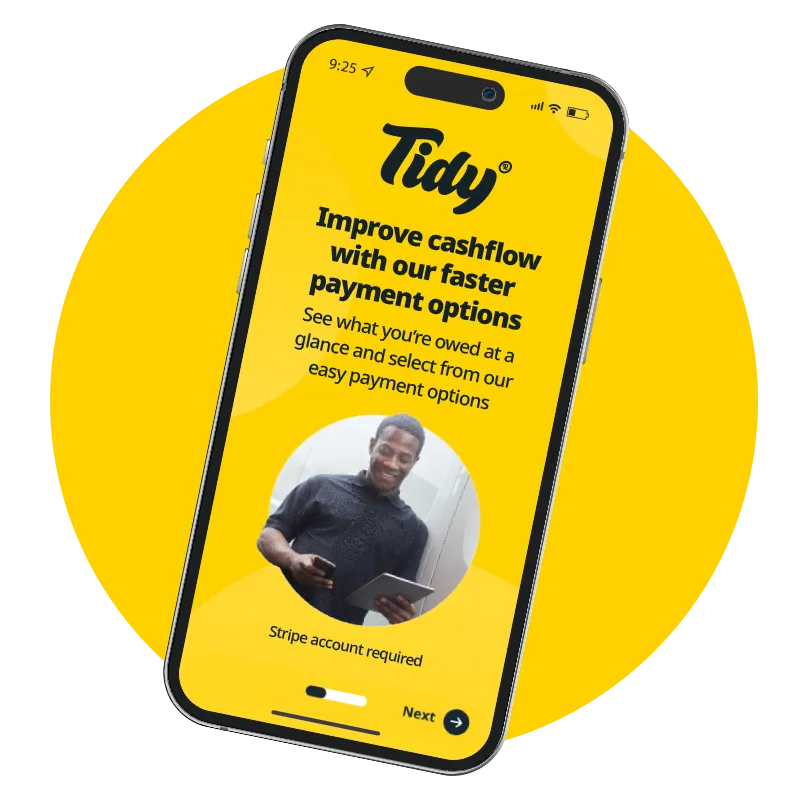
With Tap to Pay, payments are processed instantly, which means money is transferred to your account quickly. Once you’re an established user, Stripe ensures faster payouts, improving your cash flow and helping you stay on top of your finances. Tracking payments has never been easier, as all transaction data is automatically recorded in Tidy making your accounting processes easier.
3. Simplified Payment Process
Setting up Tap to Pay is straightforward with Tidy’s step-by-step guide. In just a few clicks, you’ll be ready to start accepting in-person payments on your mobile. Whether you’re at a customer’s home, at a job site, or on the go, you can take in-person payments without needing additional hardware or complicated systems.
Benefits of using Tap to Pay for tracking payments
1. No need to carry a payment terminal or sign a contract
Tidy’s Tap to Pay feature eliminates the need for bulky and expensive card readers and long-term contracts. You can start accepting payments with just your smartphone, streamlining the payment process for you and your customers.
2. Track payments automatically
With mobile payment options like Apple Tap to Pay and Google Pay, your transactions are recorded, which saves time with your accounting processes – no need to list payments manually – tracking payments has never been more convenient.
3. Secure and fast transactions
Tidy ensures that all transactions processed through Tap to Pay are encrypted, safeguarding both you and your customers from fraud. With secure payment tracking, you can rest easy knowing that your business and financial data are protected. It also demonstrates a more tech-savvy approach to your customers.
4. Flexible payment options
Tap to Pay can offer your customers the option to pay in instalments through Klarna. Providing your customers with more flexible payment options can give your business the competitive edge.
5. Digital receipts and reports
One of the key advantages of Tap to Pay is the ability to generate digital receipts and financial reports automatically. This reduces paperwork, improves your record-keeping for accounting purposes, and helps you stay organised when it’s time for tax reporting or financial planning.
6. Digital admin streamlines your accounting
With HMRC implementing quarterly filing for most self employed individuals over the next couple of years, digital record-keeping delivers huge time saving benefits, and will soon be essential for you to comply with new HMRC – Making Tax Digitalself assessment regulations.
Get started with Tap to Pay and track payments seamlessly
Here’s how you can start getting paid instantly with Tidy’s Tap to Pay:
STEP 1
Download the Tidy App
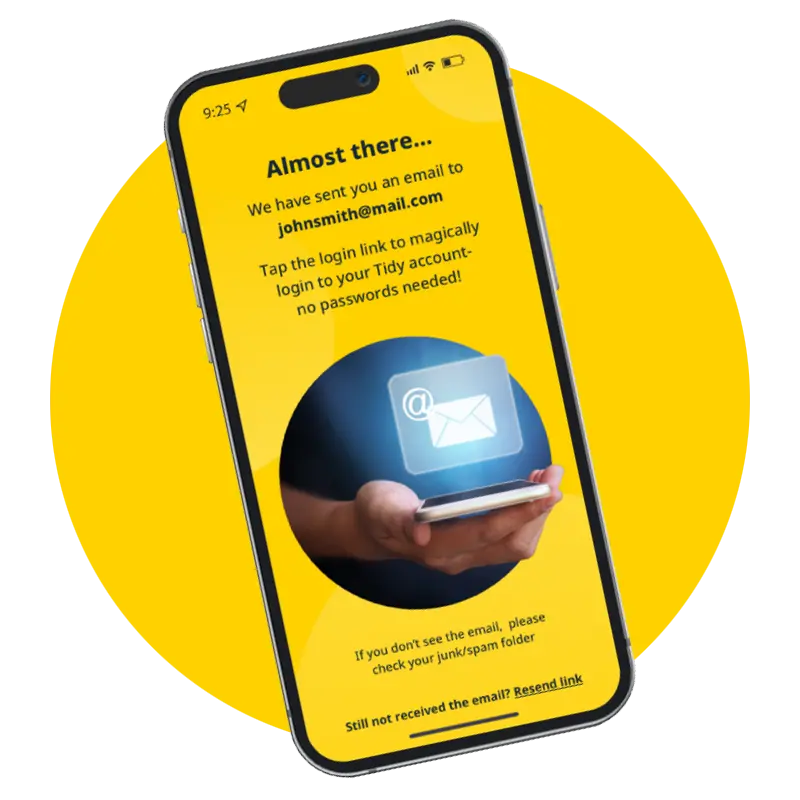
Simply download the Tidy app and log in with our magic link – no passwords required.
STEP 2
Set up in minutes
Follow our easy setup process, including activating Tap to Pay – you’ll be able to start accepting in-person payments on your phone in minutes!
STEP 3
Start tracking payments
Add customers, schedule jobs, send invoices, and start accepting payments. Payments will be tracked, and Tidy will keep an eye on what’s been paid and what’s overdue.
Why choose Tidy for
tracking payments?
Benefits of digital payment tracking:
Track payments in real time: See your earnings and outstanding payments instantly.
Accept payments anywhere: Use Apple Tap to Pay or Google Pay to accept in-person payments on your smartphone.
Boost cash flow: With faster payment processing, you’ll get paid quickly, keeping your cash flow steady.
Improve efficiency: Tidy simplifies your payment process, reduces paperwork, and enhances your customer experience.
Take control of your payments and cash flow with Tidy’s Tap to Pay
With Tidy’s Tap to Pay, you can accept and track payments securely and enjoy faster payouts – all from your smartphone. Get started today and take control of your business’s cash flow.
payment, card reader, android, iphone, smartphone, contactless payment, point of sale, apple pay, credit card, payment card, payment terminal, digital wallet, debit card, ios, bank, qr code, expense, apple wallet, sumup, bank account, mobile device, mobile payment, tap, payment solution, pos app, accept payments, payment acceptance, pos, technology, receipt, customer, mastercard, google pay, google play, wallet, american express, samsung pay, zettle, google wallet, mobile phone
Frequently Asked Questions
What features does the tap to pay app offer?
The features of the Tap to Pay app include the ability to accept contactless payments via Apple Tap to Pay and Google Pay, easy setup, real-time payment tracking, and enhanced security for managing transactions directly from your smartphone.
How secure is the mobile tap to pay system?
The security of the mobile tap to pay system is robust, employing advanced encryption and tokenisation technologies to protect transaction data, ensuring that payments made through Tidy are safe and secure for both users and their customers.
Can I track payments with the tap to pay app?
You can track payments with the Tap to Pay app. Tidy's feature allows you to monitor transactions in real-time, ensuring you stay updated on your cash flow effortlessly.
What are the benefits of using tap to pay?
The benefits of using Tap to Pay include fast, secure transactions that streamline payment processes, enhance cash flow for businesses, and offer convenience for both merchants and customers, all directly through a smartphone.
How do I set up the tap to pay feature?
Setting up the Tap to Pay feature is straightforward. Simply download the Tidy app, create an account, and follow the on-screen instructions to enable contactless payments through Apple Tap to Pay or Google Pay on your smartphone.
Is the tap to pay app user-friendly?
The tap to pay app is user-friendly, designed for quick setup and seamless navigation, allowing users to accept payments effortlessly via their smartphones with minimal training required.
What payment methods are supported by the app?
The payment methods supported by the app include contactless payments via Apple Tap to Pay and Google Pay, allowing users to accept secure transactions directly through their smartphones.
How does the app handle refunds and disputes?
The app handles refunds and disputes by providing an easy process for initiating refunds directly within the app, ensuring clear communication and tracking for both users and customers throughout the resolution process.
Can I customise the tap to pay app settings?
The ability to customise the Tap to Pay app settings is available. Users can adjust preferences such as notification settings, payment methods, and transaction limits to tailor the app to their specific business needs.
What are the fees associated with the tap to pay service?
The fees associated with the Tap to Pay service include a small transaction fee for each payment processed. For detailed information on specific rates, please refer to Tidy's pricing page within the app.
How does the app ensure transaction security?
The app ensures transaction security through advanced encryption technology and compliance with industry standards. This safeguards user data and payment information, providing a safe environment for contactless transactions.
What devices are compatible with the tap to pay feature?
The devices compatible with the Tap to Pay feature include smartphones that support Apple Tap to Pay and Google Pay, allowing users to accept contactless payments seamlessly.
Can I use the app for international transactions?
The app can be used for international transactions. However, please check with Tidy's support for specific country availability and any associated fees.
How quickly are payments processed through the app?
Payments processed through the app are typically completed in real-time, allowing users to receive funds almost instantly after a transaction is made.
What reporting tools are available in the app?
The reporting tools available in the app include real-time transaction tracking, sales summaries, and detailed payment reports, enabling users to efficiently monitor their financial performance and streamline their business operations.
How does the app improve cash flow for businesses?
The app improves cash flow for businesses by enabling quick, secure transactions through contactless payments. This streamlined process allows for immediate payment acceptance, reducing delays and enhancing the overall efficiency of financial management.
Is there customer support for the tap to pay app?
Customer support is available for the Tap to Pay app. Users can access assistance through the Tidy app, ensuring any questions or issues are addressed promptly for a seamless payment experience.
What are the flexible use terms for the app?
The flexible use terms for the app allow users to accept payments anytime and anywhere, with no long-term contracts or commitments. This ensures that small business owners and tradespeople can manage transactions at their convenience.
How can I integrate the app with my existing systems?
Integrating the app with your existing systems is straightforward. Simply follow the setup instructions in the app, which allow for seamless connectivity with various platforms and tools you already use for managing your business operations.
What are the limitations of the tap to pay feature?
The limitations of the Tap to Pay feature include restrictions on transaction amounts, as some payment processors may impose caps on contactless payments. Additionally, it requires compatible devices and may not support all payment methods or currencies.
How does the app compare to other payment solutions?
Tidy's app stands out among payment solutions by offering seamless integration for contactless payments via smartphones, real-time tracking, and enhanced security, making it particularly beneficial for small businesses and self-employed individuals seeking efficiency and convenience.
Can I access transaction history in the app?
You can access your transaction history directly in the Tidy app. This feature allows you to easily view and track all your payments in real-time, ensuring you stay organised and informed about your cash flow.
What updates are planned for the tap to pay app?
Planned updates for the Tap to Pay app include enhanced user interface improvements, expanded payment options, and additional security features to further streamline transactions and ensure a seamless experience for users.
How do I troubleshoot issues with the app?
Troubleshooting issues with the app involves checking your internet connection, ensuring the app is updated to the latest version, and restarting your device. If problems persist, consult the help section in the app or contact Tidy support for assistance.
What are the best practices for using the app?
The best practices for using the app include ensuring your device is updated, regularly checking for app updates, maintaining a stable internet connection, and familiarising yourself with all features to maximise efficiency in accepting and tracking payments.
How can I promote my business using the app?
Promoting your business using the app involves leveraging its features to accept payments seamlessly, enhancing customer experience, and sharing your payment links on social media to reach a wider audience.
What feedback have users given about the app?
User feedback about the app highlights its ease of use, quick setup, and efficient payment tracking, with many praising the convenience of accepting contactless payments directly on their smartphones.
How does the app support small business needs?
The app supports small business needs by enabling seamless contactless payments through smartphones, ensuring secure transactions, real-time tracking, and improved cash flow, all of which streamline payment processes for tradespeople and self-employed individuals.
What are the advantages of contactless payments?
The advantages of contactless payments include faster transaction times, enhanced security through encryption, and improved convenience for both customers and businesses. This streamlined method helps to increase cash flow and reduce waiting times at the point of sale.
tap to pay app with business reporting tools, tap to pay apps with flexible use terms, mobile tap to pay, Tidy Tap to Pay, Tidy app payments, smartphone card payments, contactless payments phone, accept payments on phone UK, in-person payments smartphone, Apple Pay business, Google Pay invoicing, contactless card payments for tradespeople, small business contactless payments, mobile POS UK, no card reader needed, pay at job site, secure mobile checkout, fast payment processing, instant cashflow, payment tracking app, automatic payment logging, digital receipts UK, sole trader payment solution, tradesperson payment app, tidy phone
payment, card reader, android, iphone, smartphone, contactless payment, point of sale, apple pay, credit card, payment card, payment terminal, digital wallet, debit card, ios, bank, qr code, expense, apple wallet, sumup, bank account, mobile device, mobile payment, tap, payment solution, pos app, accept payments, payment acceptance, pos, technology, receipt, customer, mastercard, google pay, google play, wallet, american express, samsung pay, zettle, google wallet, mobile phone
Frequently Asked Questions
What features does the tap to pay app offer?
The features of the Tap to Pay app include the ability to accept contactless payments via Apple Tap to Pay and Google Pay, easy setup, real-time payment tracking, and enhanced security for managing transactions directly from your smartphone.
How secure is the mobile tap to pay system?
The security of the mobile tap to pay system is robust, employing advanced encryption and tokenisation technologies to protect transaction data, ensuring that payments made through Tidy are safe and secure for both users and their customers.
Can I track payments with the tap to pay app?
You can track payments with the Tap to Pay app. Tidy's feature allows you to monitor transactions in real-time, ensuring you stay updated on your cash flow effortlessly.
What are the benefits of using tap to pay?
The benefits of using Tap to Pay include fast, secure transactions that streamline payment processes, enhance cash flow for businesses, and offer convenience for both merchants and customers, all directly through a smartphone.
How do I set up the tap to pay feature?
Setting up the Tap to Pay feature is straightforward. Simply download the Tidy app, create an account, and follow the on-screen instructions to enable contactless payments through Apple Tap to Pay or Google Pay on your smartphone.
Is the tap to pay app user-friendly?
The tap to pay app is user-friendly, designed for quick setup and seamless navigation, allowing users to accept payments effortlessly via their smartphones with minimal training required.
What payment methods are supported by the app?
The payment methods supported by the app include contactless payments via Apple Tap to Pay and Google Pay, allowing users to accept secure transactions directly through their smartphones.
How does the app handle refunds and disputes?
The app handles refunds and disputes by providing an easy process for initiating refunds directly within the app, ensuring clear communication and tracking for both users and customers throughout the resolution process.
Can I customise the tap to pay app settings?
The ability to customise the Tap to Pay app settings is available. Users can adjust preferences such as notification settings, payment methods, and transaction limits to tailor the app to their specific business needs.
What are the fees associated with the tap to pay service?
The fees associated with the Tap to Pay service include a small transaction fee for each payment processed. For detailed information on specific rates, please refer to Tidy's pricing page within the app.
How does the app ensure transaction security?
The app ensures transaction security through advanced encryption technology and compliance with industry standards. This safeguards user data and payment information, providing a safe environment for contactless transactions.
What devices are compatible with the tap to pay feature?
The devices compatible with the Tap to Pay feature include smartphones that support Apple Tap to Pay and Google Pay, allowing users to accept contactless payments seamlessly.
Can I use the app for international transactions?
The app can be used for international transactions. However, please check with Tidy's support for specific country availability and any associated fees.
How quickly are payments processed through the app?
Payments processed through the app are typically completed in real-time, allowing users to receive funds almost instantly after a transaction is made.
What reporting tools are available in the app?
The reporting tools available in the app include real-time transaction tracking, sales summaries, and detailed payment reports, enabling users to efficiently monitor their financial performance and streamline their business operations.
How does the app improve cash flow for businesses?
The app improves cash flow for businesses by enabling quick, secure transactions through contactless payments. This streamlined process allows for immediate payment acceptance, reducing delays and enhancing the overall efficiency of financial management.
Is there customer support for the tap to pay app?
Customer support is available for the Tap to Pay app. Users can access assistance through the Tidy app, ensuring any questions or issues are addressed promptly for a seamless payment experience.
What are the flexible use terms for the app?
The flexible use terms for the app allow users to accept payments anytime and anywhere, with no long-term contracts or commitments. This ensures that small business owners and tradespeople can manage transactions at their convenience.
How can I integrate the app with my existing systems?
Integrating the app with your existing systems is straightforward. Simply follow the setup instructions in the app, which allow for seamless connectivity with various platforms and tools you already use for managing your business operations.
What are the limitations of the tap to pay feature?
The limitations of the Tap to Pay feature include restrictions on transaction amounts, as some payment processors may impose caps on contactless payments. Additionally, it requires compatible devices and may not support all payment methods or currencies.
How does the app compare to other payment solutions?
Tidy's app stands out among payment solutions by offering seamless integration for contactless payments via smartphones, real-time tracking, and enhanced security, making it particularly beneficial for small businesses and self-employed individuals seeking efficiency and convenience.
Can I access transaction history in the app?
You can access your transaction history directly in the Tidy app. This feature allows you to easily view and track all your payments in real-time, ensuring you stay organised and informed about your cash flow.
What updates are planned for the tap to pay app?
Planned updates for the Tap to Pay app include enhanced user interface improvements, expanded payment options, and additional security features to further streamline transactions and ensure a seamless experience for users.
How do I troubleshoot issues with the app?
Troubleshooting issues with the app involves checking your internet connection, ensuring the app is updated to the latest version, and restarting your device. If problems persist, consult the help section in the app or contact Tidy support for assistance.
What are the best practices for using the app?
The best practices for using the app include ensuring your device is updated, regularly checking for app updates, maintaining a stable internet connection, and familiarising yourself with all features to maximise efficiency in accepting and tracking payments.
How can I promote my business using the app?
Promoting your business using the app involves leveraging its features to accept payments seamlessly, enhancing customer experience, and sharing your payment links on social media to reach a wider audience.
What feedback have users given about the app?
User feedback about the app highlights its ease of use, quick setup, and efficient payment tracking, with many praising the convenience of accepting contactless payments directly on their smartphones.
How does the app support small business needs?
The app supports small business needs by enabling seamless contactless payments through smartphones, ensuring secure transactions, real-time tracking, and improved cash flow, all of which streamline payment processes for tradespeople and self-employed individuals.
What are the advantages of contactless payments?
The advantages of contactless payments include faster transaction times, enhanced security through encryption, and improved convenience for both customers and businesses. This streamlined method helps to increase cash flow and reduce waiting times at the point of sale.
tap to pay app with business reporting tools, tap to pay apps with flexible use terms, mobile tap to pay, Tidy Tap to Pay, Tidy app payments, smartphone card payments, contactless payments phone, accept payments on phone UK, in-person payments smartphone, Apple Pay business, Google Pay invoicing, contactless card payments for tradespeople, small business contactless payments, mobile POS UK, no card reader needed, pay at job site, secure mobile checkout, fast payment processing, instant cashflow, payment tracking app, automatic payment logging, digital receipts UK, sole trader payment solution, tradesperson payment app, tidy phone