Frequently Asked Questions
How do I get started with Tidy?
Getting started with Tidy is simple: just register for an account on our website, follow the setup instructions to configure your preferences, and begin managing your business tasks efficiently with our intuitive tools.
What is the quick setup process for Tidy?
The quick setup process for Tidy involves registering for an account, completing your profile, and integrating your preferred payment and accounting tools, allowing you to efficiently manage your business tasks in no time.
How can Tidy help small businesses?
Tidy helps small businesses by streamlining administration tasks through efficient booking management, invoicing, payment processing, and integrated accounting features, allowing owners to focus on growth without the burden of complex administration.
What features does Tidy offer for administration?
Tidy offers a range of features for administration, including booking management, invoicing, payment processing, and seamless accounting integration, all designed to simplify business operations for self-employed individuals and tradespeople.
Is Tidy suitable for self-employed individuals?
Tidy is highly suitable for self-employed individuals, offering streamlined tools for booking management, invoicing, and payment processing, all designed to simplify business administration tasks efficiently.
How do I register for Tidy?
Registering for Tidy is simple. Just visit our website, click on the "Sign Up" button, and follow the prompts to create your account by providing your details.
What are the benefits of using Tidy?
The benefits of using Tidy include streamlined business administration, efficient booking management, easy invoicing, seamless payment processing, and integrated accounting features, all without the hassle of contracts, allowing self-employed individuals and tradespeople to manage their tasks effectively.
Can Tidy integrate with accounting software?
Tidy can seamlessly integrate with accounting software, allowing users to manage their financial data efficiently. This integration simplifies bookkeeping and ensures that all business transactions are accurately reflected in your accounting system.
How do I manage bookings with Tidy?
Managing bookings with Tidy is straightforward: simply use the intuitive booking management feature to create, edit, and track appointments, ensuring seamless scheduling for your clients while keeping your calendar organised.
What payment options does Tidy support?
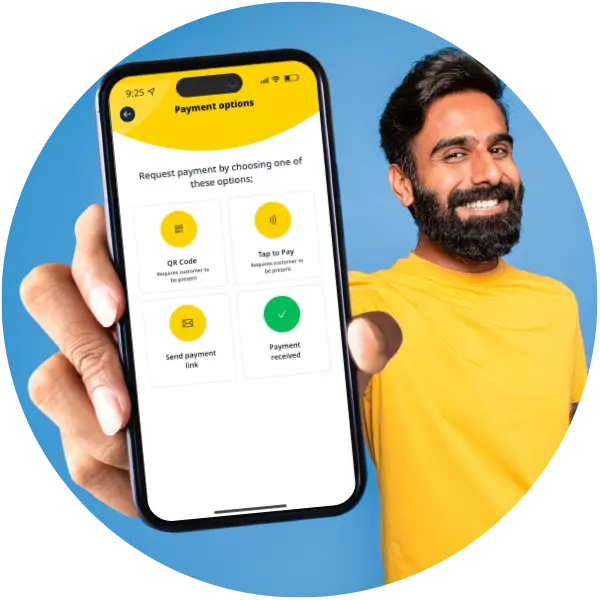
Tidy supports various payment options, including credit and debit cards, direct bank transfers, and popular digital wallets, ensuring flexibility and convenience for users managing their business transactions.
How can I customise my Tidy account?
Customising your Tidy account is straightforward. You can adjust settings such as your business profile, notification preferences, and invoicing templates to suit your specific needs and enhance your user experience.
What support does Tidy provide for users?
The support Tidy provides for users includes comprehensive resources such as tutorials, FAQs, and customer service assistance to ensure a smooth experience in managing business tasks efficiently.
How do I create invoices using Tidy?
Creating invoices using Tidy is straightforward: simply log in to your account, navigate to the invoicing section, and fill out the required details such as client information and services provided. Then, save and send your invoice directly from the app.
What is the onboarding process for Tidy?
The onboarding process for Tidy is straightforward and user-friendly, allowing you to register, set up your account, and start managing your business tasks efficiently in just a few easy steps.
How does Tidy simplify payment processing?
Tidy simplifies payment processing by offering seamless integration with various payment methods, allowing users to accept payments directly through the app. This streamlines transactions, reduces administrative tasks, and enhances overall efficiency for business owners.
Can I access Tidy on mobile devices?
You can access Tidy on mobile devices. The app is designed for seamless use on smartphones and tablets, allowing you to manage your business tasks anytime, anywhere.
What are the security features of Tidy?
The security features of Tidy include data encryption, secure payment processing, and regular security audits, ensuring that your business information is protected and confidential at all times.
How do I track expenses with Tidy?
Tracking expenses with Tidy is straightforward: simply log into your account, navigate to the expenses section, and enter your expense details. The app will automatically categorise and summarise your expenses for easy management.
What is the user interface like in Tidy?
The user interface in Tidy is intuitive and user-friendly, designed to simplify navigation and enhance productivity. It features a clean layout, allowing users to easily access booking management, invoicing, and payment processing tools.
How can Tidy improve my business efficiency?
Tidy can significantly improve your business efficiency by automating administrative tasks such as booking management, invoicing, and payment processing, allowing you to focus more on your core work without the hassle of manual processes.
What types of businesses benefit from Tidy?
The types of businesses that benefit from Tidy include self-employed individuals and tradespeople, such as freelancers, contractors, and small service providers, who seek efficient management of bookings, invoicing, and payment processing.
How do I set up reminders in Tidy?
Setting up reminders in Tidy is simple. Just navigate to the reminders section in the app, select the task you want to be reminded about, and choose your preferred time and frequency for the alerts.
What is the cost structure for Tidy?
The cost structure for Tidy is straightforward, with no contracts or hidden fees. Users pay a simple monthly subscription that includes all features, such as booking management, invoicing, and payment processing.
How can I migrate data to Tidy?
Migrating data to Tidy is straightforward. Simply export your existing data from your current system in a compatible format and then import it into Tidy using our user-friendly import tool, which guides you through the process step-by-step.
What are common issues when setting up Tidy?
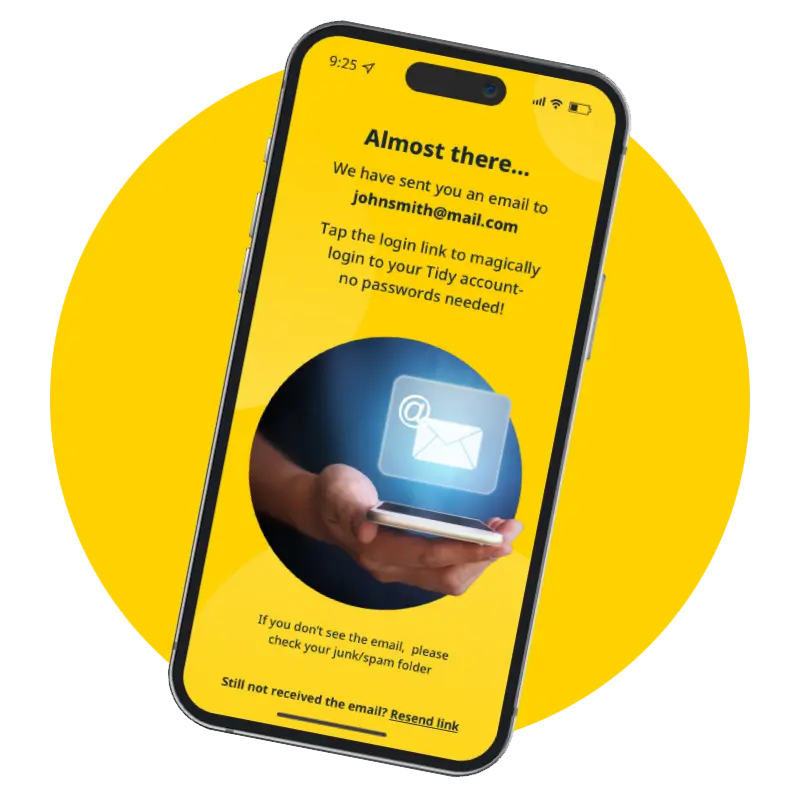
Common issues when setting up Tidy include difficulties with account verification, integration with existing accounting systems, and navigating the app's features. Users may also encounter challenges in customising settings to fit their specific business needs.
How do I contact Tidy customer support?
To contact Tidy customer support, you can reach out via the support section within the app, email us at
[email protected], or use the live chat feature on our website for immediate assistance.
What training resources are available for Tidy?
Training resources available for Tidy include comprehensive user guides, video tutorials, and a dedicated support team to assist with onboarding and ongoing queries, ensuring users can effectively utilise the app for their business needs.
How does Tidy handle client communications?
Tidy handles client communications by providing integrated messaging features that allow users to easily communicate with clients regarding bookings, invoices, and payments, ensuring streamlined and efficient interactions throughout the business relationship.
What are the reporting features in Tidy?
The reporting features in Tidy include comprehensive insights into your business performance, such as sales reports, expense tracking, and payment summaries, enabling you to make informed decisions and optimise your operations effectively.