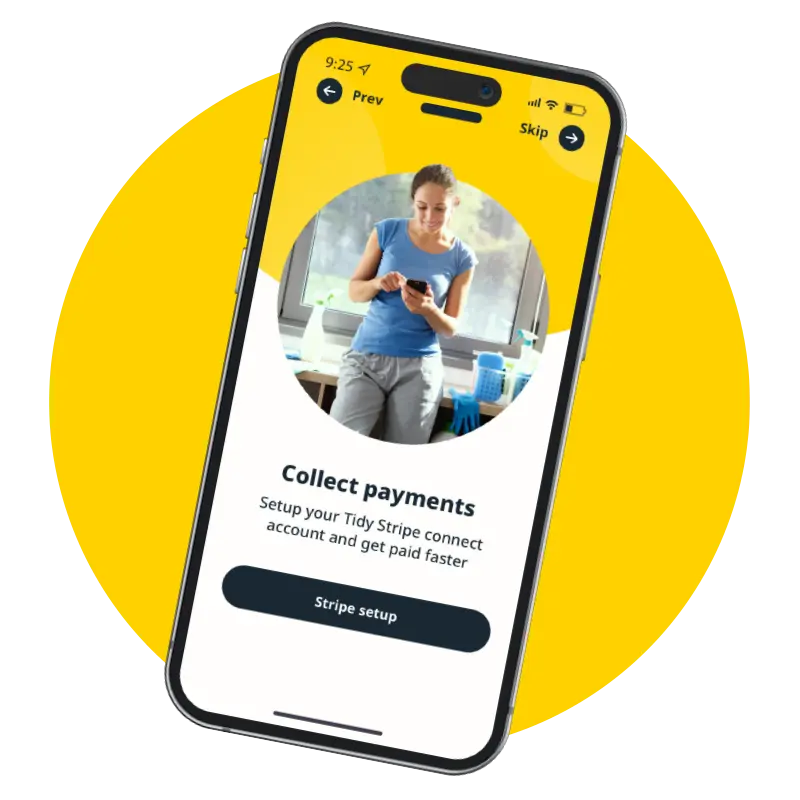
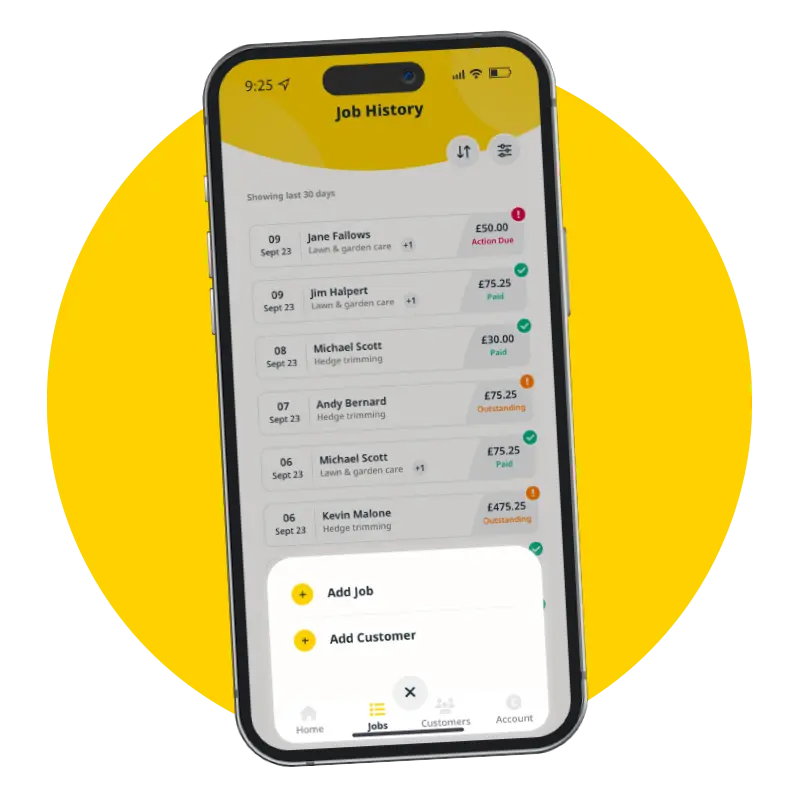
Work smarter not harder and let the Tidy App take the hassle out of your business admin. Download to get started!
Here’s how Tidy can help you streamline your business...
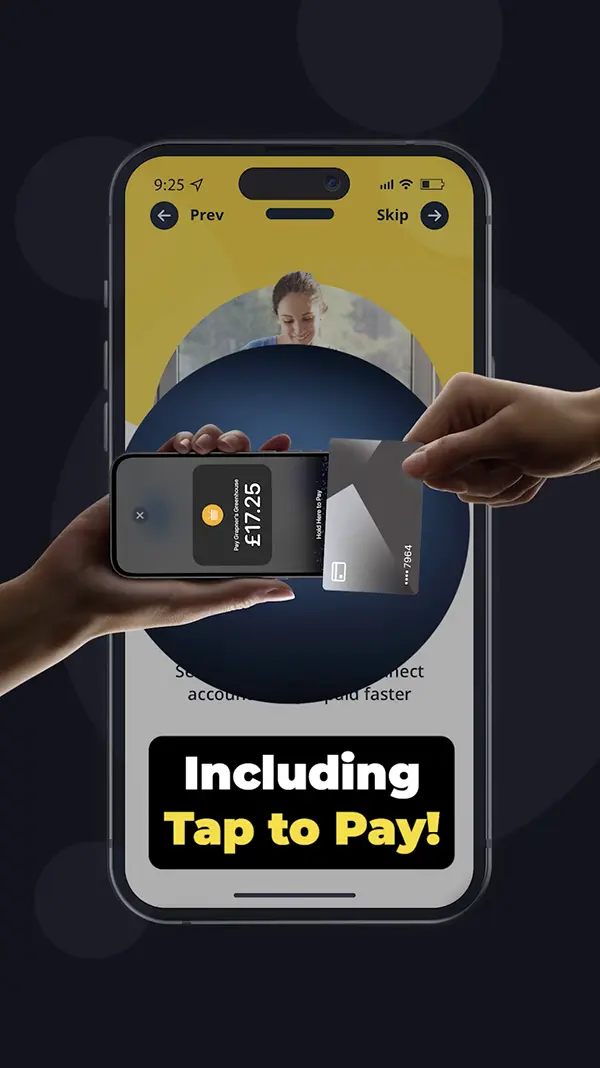
Get started with Tap to Pay and track payments seamlessly
Here’s how you can start getting paid instantly with Tidy’s Tap to Pay:
STEP 1
Download the Tidy App
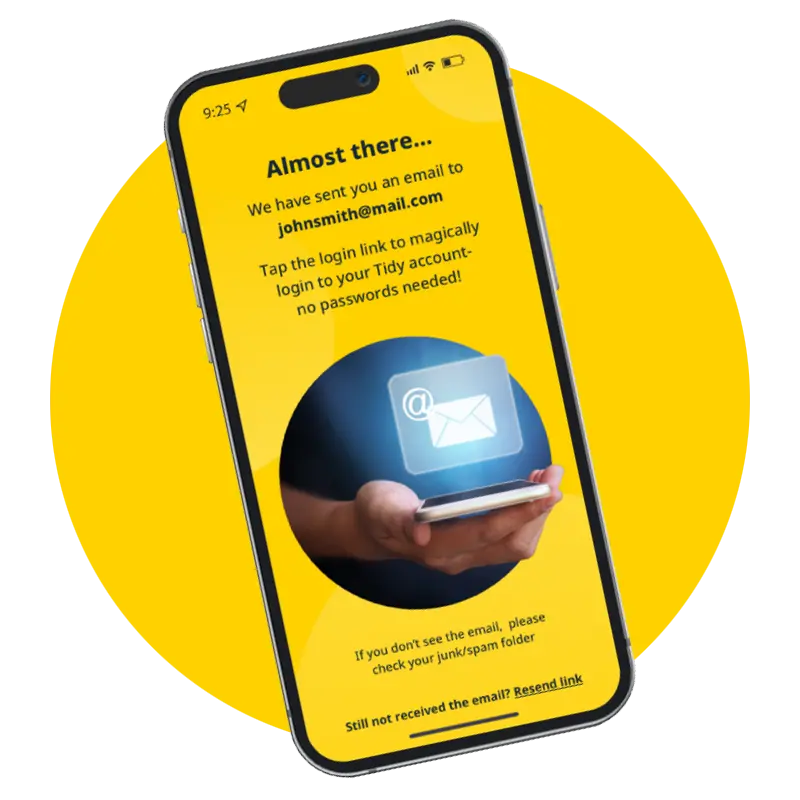
Simply download the Tidy app and log in with our magic link – no passwords required.
STEP 2
Set up in minutes
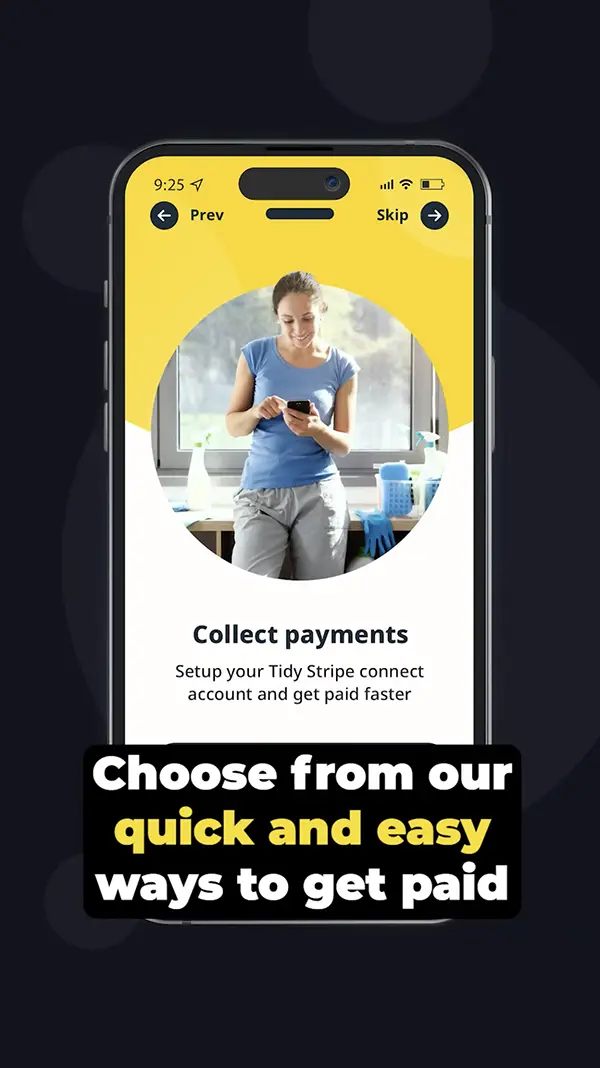
Follow our easy setup process, including activating Tap to Pay. It’s quick and hassle-free!
STEP 3
Start tracking payments
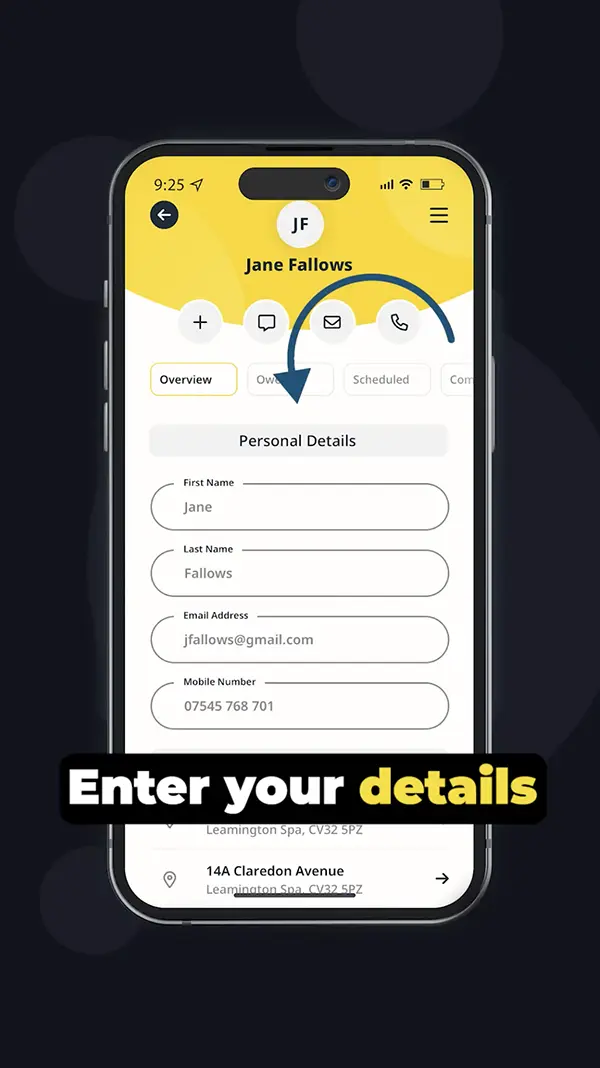
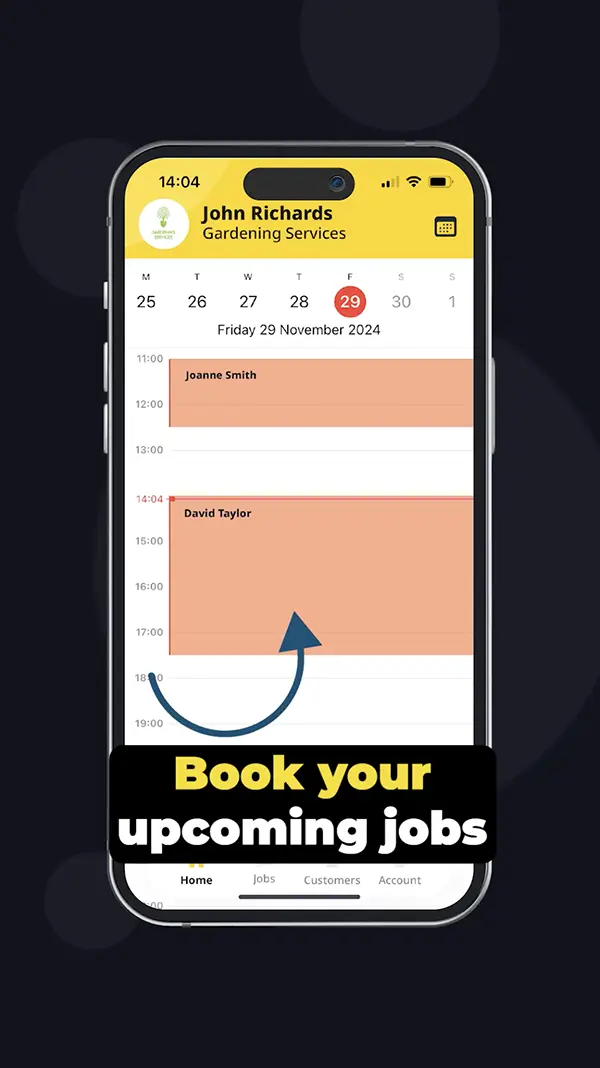
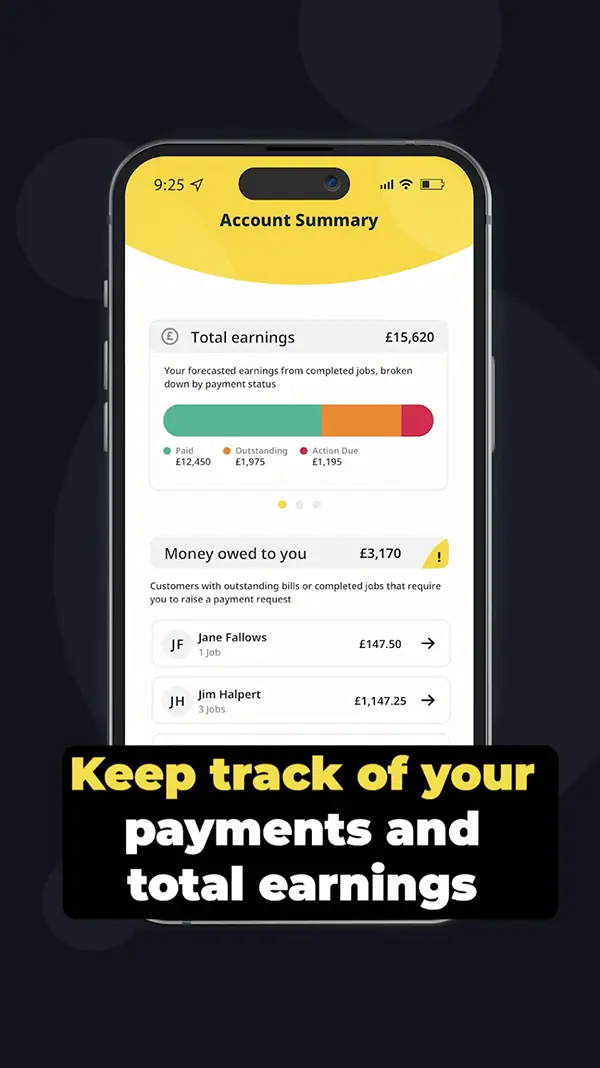
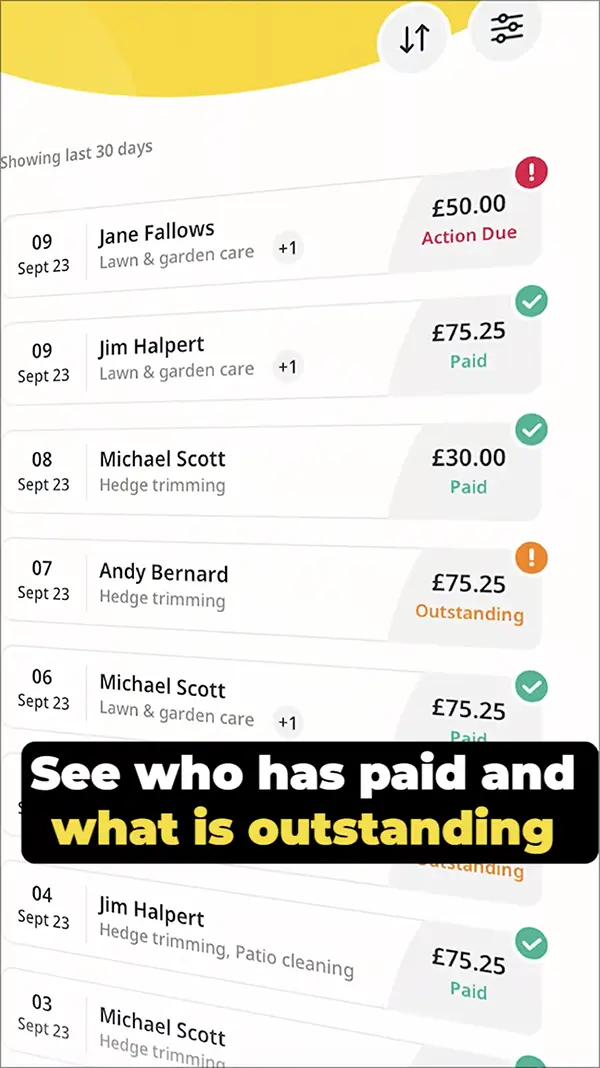
Begin adding customers, creating jobs, and accepting payments. Your earnings will be automatically tracked, and Tidy will keep an eye on what’s due and what’s been paid.
Take control of your business with Tidy
The Tidy App is designed to address common challenges faced by self-employed and tradespeople, offering a tech-savvy way to manage your business admin, secure ways to accept payments, and convenient ways to manage your cash flow. We even offer a more streamlined accounting process with a FREE QuickBooks account included.
Tidy offers busy self employed professionals a suite of digital business tools designed to take the hassle out of daily admin tasks, so that you can focus on what you do best – your trade.
The Tidy App simplifies tasks by offering intuitive tools for managing admin duties, tracking payments, and facilitating transactions, enabling self-employed individuals and tradespeople to focus more on their work and less on paperwork.
What features does the Tidy App offer?
The features of the Tidy App include tools for managing administrative tasks, tracking payments, and a convenient Tap to Pay option, all designed to streamline operations for self-employed individuals and tradespeople.
How can I manage payments with Tidy?
Managing payments with Tidy is straightforward. You can easily accept payments through the app using the Tap to Pay feature, while also tracking all transactions to keep your finances organised.
What is the setup process for Tidy App?
The setup process for the Tidy App is straightforward: simply download the app from the Apple App Store or Google Play Store, create an account, and follow the on-screen instructions to configure your business settings and start managing your admin tasks.
How does Tidy App help tradespeople?
The Tidy App helps tradespeople by simplifying business administration, allowing them to efficiently manage tasks, track payments, and accept transactions seamlessly, ultimately streamlining their operations and saving valuable time.
Can I track expenses using the Tidy App?
The Tidy App allows you to easily track your expenses. With its user-friendly interface, you can organise and monitor your business costs effectively, helping you maintain clear financial records.
What devices support the Tidy App?
The Tidy App is supported on both iOS and Android devices, allowing users to manage their business tasks seamlessly on smartphones and tablets.
How do I download the Tidy App?
To download the Tidy App, simply visit the Apple App Store or Google Play Store on your device, search for "Tidy," and follow the prompts to install the app.
What are the benefits of using Tidy App?
The benefits of using the Tidy App include streamlined business administration, efficient payment tracking, and easy integration of tools for self-employed individuals and tradespeople, all designed to simplify your daily operations.
How can I customise the Tidy App?
You can customise the Tidy App by adjusting settings such as your business profile, notification preferences, and payment options to suit your specific needs, ensuring a tailored experience that enhances your business management.
Is the Tidy App user-friendly for beginners?
The Tidy App is designed to be user-friendly for beginners, featuring an intuitive interface and straightforward setup that make it easy for self-employed individuals and tradespeople to manage their business tasks efficiently.
What payment methods does Tidy App accept?
The payment methods accepted by the Tidy App include debit and credit cards, as well as digital wallets, allowing users to easily manage transactions and receive payments seamlessly.
How can I access Tidy App support?
Accessing Tidy App support is easy. You can reach our support team through the app itself, or visit our website for FAQs and contact options. We're here to help you with any questions or issues you may have.
What are the security features of Tidy App?
The security features of the Tidy App include advanced encryption for data protection, secure payment processing, and regular security updates to safeguard user information and transactions from potential threats.
How does Tidy App handle invoicing?
The Tidy App handles invoicing by allowing users to create, send, and track invoices effortlessly, ensuring a streamlined billing process that simplifies financial management for self-employed individuals and tradespeople.
Can I integrate Tidy App with other tools?
The integration of Tidy App with other tools is possible. This allows users to streamline their business operations by connecting Tidy with various applications that enhance productivity and efficiency.
What is the cost of using Tidy App?
The cost of using the Tidy App is straightforward and affordable. Users can enjoy the app's features with a subscription model that offers various pricing tiers to suit different business needs.
How can I update my Tidy App information?
Updating your Tidy App information is straightforward. Simply navigate to the settings within the app, select the profile option, and make the necessary changes to your details.
What are common issues with Tidy App?
Common issues with the Tidy App include occasional connectivity problems, difficulties in payment processing, and challenges with syncing data across devices. Users may experience these issues, but they can often be resolved with updates or customer support assistance.
How can I provide feedback on Tidy App?
Providing feedback on the Tidy App is simple. You can share your thoughts and suggestions directly through the app’s feedback feature or by contacting our support team via email. Your input helps us improve!
What is the target audience for Tidy App?
The target audience for the Tidy App includes self-employed individuals and tradespeople who seek to simplify their business administration, manage tasks efficiently, and accept payments seamlessly.
How does Tidy App improve business efficiency?
The Tidy App improves business efficiency by streamlining administrative tasks, simplifying payment processing with features like Tap to Pay, and providing effective tracking tools, all designed to help self-employed individuals and tradespeople manage their operations more effectively.
What tutorials are available for Tidy App?
The tutorials available for the Tidy App include step-by-step guides on setting up your account, using the Tap to Pay feature, and tracking payments, all designed to help you efficiently manage your business administration tasks.
How can I share Tidy App with others?
Sharing the Tidy App with others is simple: you can send them the download link directly from the Apple App Store or Google Play Store, or share your referral code within the app to encourage them to join.
What are the latest updates for Tidy App?
The latest updates for the Tidy App include enhanced payment tracking features, improved user interface for easier navigation, and the introduction of the Tap to Pay functionality, all aimed at streamlining your business administration tasks.
How does Tidy App support self-employed individuals?
The Tidy App supports self-employed individuals by streamlining business administration tasks, offering tools for managing invoices, tracking payments, and facilitating transactions, all designed to simplify their daily operations and enhance productivity.
What are the most popular features of Tidy App?
The most popular features of the Tidy App include Tap to Pay for seamless transactions, comprehensive payment tracking, and efficient tools for managing business administration tasks, all designed to streamline operations for self-employed individuals and tradespeople.
How can I optimise my use of Tidy App?
To optimise your use of the Tidy App, explore its features thoroughly, such as Tap to Pay and payment tracking, and customise settings to fit your business needs. Regularly update the app to access the latest tools for efficiency.
What are the installation requirements for Tidy App?
The installation requirements for the Tidy App include a compatible device running iOS 12.0 or later for Apple users, or Android 6.0 or later for Android users, along with a stable internet connection.

tidy pay, self employed, how it works, Tidy app how it works, Tidy business admin app, manage jobs and payments, schedule jobs with Tidy, create invoices with Tidy, automatic invoicing, track payments, payment tracking, Tap to Pay setup, mobile payments UK, small business admin UK, quick setup app, easy business software, tradesperson admin app, sole trader app UK, organise work calendar, digital receipts, cashflow management, QuickBooks integration, HMRC Making Tax Digital support, invoice & payments workflow, job scheduling app, all-in-one business admin, tidy business, tidyapp
The Tidy App simplifies tasks by offering intuitive tools for managing admin duties, tracking payments, and facilitating transactions, enabling self-employed individuals and tradespeople to focus more on their work and less on paperwork.
What features does the Tidy App offer?
The features of the Tidy App include tools for managing administrative tasks, tracking payments, and a convenient Tap to Pay option, all designed to streamline operations for self-employed individuals and tradespeople.
How can I manage payments with Tidy?
Managing payments with Tidy is straightforward. You can easily accept payments through the app using the Tap to Pay feature, while also tracking all transactions to keep your finances organised.
What is the setup process for Tidy App?
The setup process for the Tidy App is straightforward: simply download the app from the Apple App Store or Google Play Store, create an account, and follow the on-screen instructions to configure your business settings and start managing your admin tasks.
How does Tidy App help tradespeople?
The Tidy App helps tradespeople by simplifying business administration, allowing them to efficiently manage tasks, track payments, and accept transactions seamlessly, ultimately streamlining their operations and saving valuable time.
Can I track expenses using the Tidy App?
The Tidy App allows you to easily track your expenses. With its user-friendly interface, you can organise and monitor your business costs effectively, helping you maintain clear financial records.
What devices support the Tidy App?
The Tidy App is supported on both iOS and Android devices, allowing users to manage their business tasks seamlessly on smartphones and tablets.
How do I download the Tidy App?
To download the Tidy App, simply visit the Apple App Store or Google Play Store on your device, search for "Tidy," and follow the prompts to install the app.
What are the benefits of using Tidy App?
The benefits of using the Tidy App include streamlined business administration, efficient payment tracking, and easy integration of tools for self-employed individuals and tradespeople, all designed to simplify your daily operations.
How can I customise the Tidy App?
You can customise the Tidy App by adjusting settings such as your business profile, notification preferences, and payment options to suit your specific needs, ensuring a tailored experience that enhances your business management.
Is the Tidy App user-friendly for beginners?
The Tidy App is designed to be user-friendly for beginners, featuring an intuitive interface and straightforward setup that make it easy for self-employed individuals and tradespeople to manage their business tasks efficiently.
What payment methods does Tidy App accept?
The payment methods accepted by the Tidy App include debit and credit cards, as well as digital wallets, allowing users to easily manage transactions and receive payments seamlessly.
How can I access Tidy App support?
Accessing Tidy App support is easy. You can reach our support team through the app itself, or visit our website for FAQs and contact options. We're here to help you with any questions or issues you may have.
What are the security features of Tidy App?
The security features of the Tidy App include advanced encryption for data protection, secure payment processing, and regular security updates to safeguard user information and transactions from potential threats.
How does Tidy App handle invoicing?
The Tidy App handles invoicing by allowing users to create, send, and track invoices effortlessly, ensuring a streamlined billing process that simplifies financial management for self-employed individuals and tradespeople.
Can I integrate Tidy App with other tools?
The integration of Tidy App with other tools is possible. This allows users to streamline their business operations by connecting Tidy with various applications that enhance productivity and efficiency.
What is the cost of using Tidy App?
The cost of using the Tidy App is straightforward and affordable. Users can enjoy the app's features with a subscription model that offers various pricing tiers to suit different business needs.
How can I update my Tidy App information?
Updating your Tidy App information is straightforward. Simply navigate to the settings within the app, select the profile option, and make the necessary changes to your details.
What are common issues with Tidy App?
Common issues with the Tidy App include occasional connectivity problems, difficulties in payment processing, and challenges with syncing data across devices. Users may experience these issues, but they can often be resolved with updates or customer support assistance.
How can I provide feedback on Tidy App?
Providing feedback on the Tidy App is simple. You can share your thoughts and suggestions directly through the app’s feedback feature or by contacting our support team via email. Your input helps us improve!
What is the target audience for Tidy App?
The target audience for the Tidy App includes self-employed individuals and tradespeople who seek to simplify their business administration, manage tasks efficiently, and accept payments seamlessly.
How does Tidy App improve business efficiency?
The Tidy App improves business efficiency by streamlining administrative tasks, simplifying payment processing with features like Tap to Pay, and providing effective tracking tools, all designed to help self-employed individuals and tradespeople manage their operations more effectively.
What tutorials are available for Tidy App?
The tutorials available for the Tidy App include step-by-step guides on setting up your account, using the Tap to Pay feature, and tracking payments, all designed to help you efficiently manage your business administration tasks.
How can I share Tidy App with others?
Sharing the Tidy App with others is simple: you can send them the download link directly from the Apple App Store or Google Play Store, or share your referral code within the app to encourage them to join.
What are the latest updates for Tidy App?
The latest updates for the Tidy App include enhanced payment tracking features, improved user interface for easier navigation, and the introduction of the Tap to Pay functionality, all aimed at streamlining your business administration tasks.
How does Tidy App support self-employed individuals?
The Tidy App supports self-employed individuals by streamlining business administration tasks, offering tools for managing invoices, tracking payments, and facilitating transactions, all designed to simplify their daily operations and enhance productivity.
What are the most popular features of Tidy App?
The most popular features of the Tidy App include Tap to Pay for seamless transactions, comprehensive payment tracking, and efficient tools for managing business administration tasks, all designed to streamline operations for self-employed individuals and tradespeople.
How can I optimise my use of Tidy App?
To optimise your use of the Tidy App, explore its features thoroughly, such as Tap to Pay and payment tracking, and customise settings to fit your business needs. Regularly update the app to access the latest tools for efficiency.
What are the installation requirements for Tidy App?
The installation requirements for the Tidy App include a compatible device running iOS 12.0 or later for Apple users, or Android 6.0 or later for Android users, along with a stable internet connection.

tidy pay, self employed, how it works, Tidy app how it works, Tidy business admin app, manage jobs and payments, schedule jobs with Tidy, create invoices with Tidy, automatic invoicing, track payments, payment tracking, Tap to Pay setup, mobile payments UK, small business admin UK, quick setup app, easy business software, tradesperson admin app, sole trader app UK, organise work calendar, digital receipts, cashflow management, QuickBooks integration, HMRC Making Tax Digital support, invoice & payments workflow, job scheduling app, all-in-one business admin, tidy business, tidyapp